Speed up widget development with Sitefinity MCP server. Learn more...

Network properties

IMPORTANT: Sitefinity CMS Analytics module is unavailable after July 1, 2024, because it depends on the discontinued Google Universal Analytics. We recommend using Sitefinity Insight and the Script manager (available in Sitefinity CMS 14.3 and later) to integrate another analytics solution.

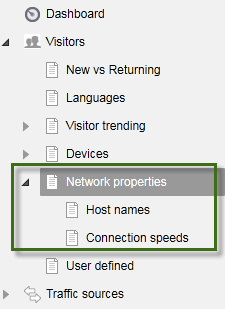
In the Network properties section you can view various statistics for the service providers that your visitors use, their hosts and connection speeds. The section contains one main report and two detailed reports located under the main report.

The following is a screenshot of the navigation on the left side of the screen and displays the structure of the information about network properties:
NEW TO SITEFINITY?

Want to learn more?

Enhance your Sitefinity skills by enrolling in free training sessions. Become Sitefinity certified through Progress Education Community to strengthen your professional credentials.

Get started with Integration Hub | Sitefinity Cloud

This free lesson teaches administrators, marketers, and other business professionals how to use the Integration hub service to create automated workflows between Sitefinity and other business systems.

Web Security for Sitefinity Administrators

This free lesson teaches administrators the basics about protecting your Sitefinity instance and its sites from external threats. Configure HTTPS, SSL, allow lists for trusted sites, and cookie security, among others.

Foundations of Sitefinity ASP.NET Core Development

The free on-demand video course teaches developers how to use Sitefinity ASP.NET Core and take advantage of its decoupled architecture and modern development model.

Was this article helpful?