

About This Course
This course introduces the Log Management module, which enables you to visualize and manage your device logs within the same WhatsUp Gold interface as the rest of your network monitoring solution. You learn how to configure your system to store log messages. Then, you review how to gather log data from Windows Event Log or syslog devices in your network and use filters to narrow those results into the ones that matter. You learn to leverage alerts, searches, and reports for maximum visibility on log status and events. Finally, you learn how to archive logs for regulatory compliance and to preserve historic data.
Audience
WhatsUp Gold Administrators
Duration
2 hours
Product Version
WhatsUp Gold 26.0
What You Will Learn
After completing this course, you should be able to:
- Identify the log types supported by Log Management and describe how log events are collected, processed, and stored
- Review prerequisites, licensing, and installation guidelines for Log Management and the use of the Elasticsearch product
- Configure Log Management settings
- Determine when to use agents and where to configure them
- Configure log data sources
- Work with log filters
- Configure Log Management alerts
- View and report on Log Management data
- Manage log archives
Training Prerequisites
Students must have WhatsUp Gold installed on their network, preferably with a supported version of Elasticsearch installed and configured.
How to Subscribe

Step 1 - Log in
Visit the Progress Education Community (PEC) and log in with your Progress ID. If you do not have a Progress ID, you can register here.
Note: You must activate your Progress ID prior to logging in to the Progress Education Community
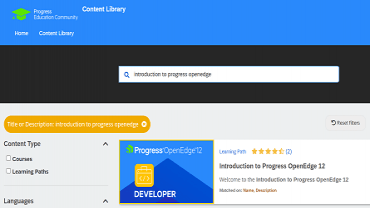
Step 2 - Find Your Content & Start Learning
Navigate to the Content Library and search for: WhatsUp Gold Log Management. Then simply click the title for FREE access to the course.

Interested in the Class?
Stay up to date with technology trends and get the most out of your Progress technology investment.