
OpenEdge Command Center
Supercharge productivity in the management and administration of OpenEdge
Cloud-ready Management Console for Managing Multiple OpenEdge Resources
The OpenEdge Command Center (OECC) is a cutting-edge cloud ready OpenEdge management console for managing multiple PAS for OpenEdge instances and OpenEdge Databases.
High Availability:
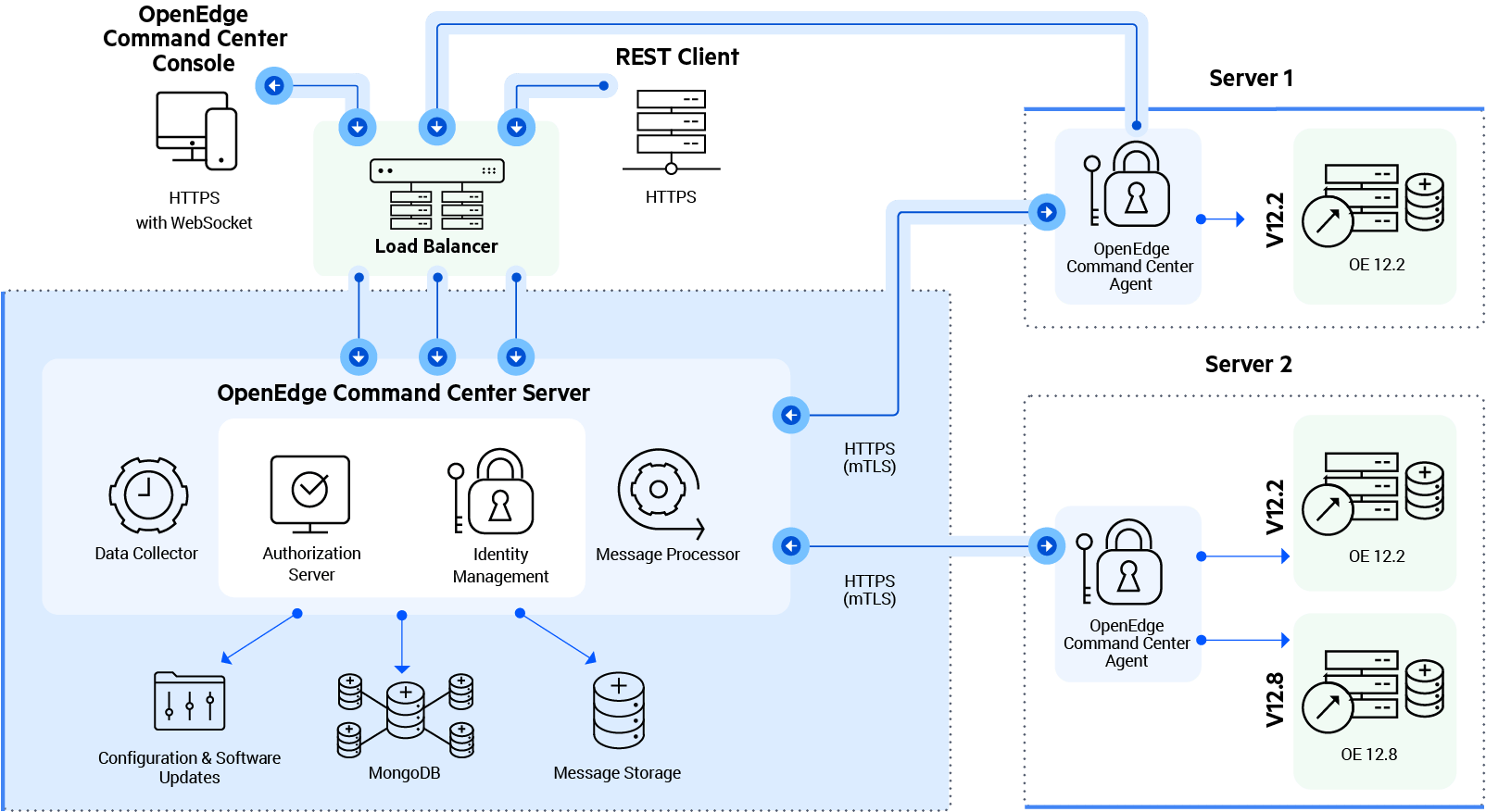
The OpenEdge Command Center server can be deployed on multiple servers managed by a load balancer like Nginx.
Secure:
Built-in user management for system administrators ensures that you have secure control of OpenEdge Command Center user permissions in your environment. Ability to generate Agent Keys from server ensure authenticity of the agents.
Reliable:
Reduce administrative overhead for system administrators.
Key Benefits
Modern and Intuitive Web Interface
Modern Web based management console accessible through all modern browsers running on Desktop Computers and iPad/Tablet devices too.
Load Balancing
In the event of a planned or unplanned outage of an OpenEdge Command Center server, other OpenEdge Command Center servers will balance the load without impacting the end user.
Lightweight Agents
The OpenEdge Command Center agent is a lightweight process that consumes less footprint of your system resources. No hassles of dealing with port conflicts and no need to raise tickets to open new ports to run the agent. This eliminates administrative overheads and lowers the cost of ownership.
Bring Your Own Choice of APM Tools
Offers an ability to support customer choice of Open source and/or enterprise performance monitoring tools by exposing performance metrics for PAS for OpenEdge and OpenEdge Database in OpenTelemetry standard.
Key Features
- Deploy the server as a single node or, if configured for high availability, a multi-node cluster.
- Discover, view, create, update, delete, clone and configure PAS for OpenEdge Instances.
- Deploy ABL applications, REST services from a SPoG (Single Pane of Glass) View that allows easy and quick access to the ABL apps/services in your enterprise.
- Built with API First approach, supports Open API standards with Swagger UI and Redoc documentation to enable faster integration use cases.
What’s New in OECC 2.1
- AI-Assisted Information Access with the OECC MCP Server: Connect MCP-compatible AI clients to OECC and use natural-language queries to retrieve authorized information. Read-only access helps teams explore data conversationally while maintaining control.
- PAS for OpenEdge Transport Management:Manage REST, APSV, SOAP and Web transports through REST APIs. This reduces manual administration and supports automation of transport configuration and operations.
- PAS for OpenEdge Configuration Export and Import: Export and import PAS for OpenEdge configurations using portable JSON files, with validation, backup and recovery capabilities to help streamline deployment and reduce configuration drift.
- Database Configuration and Process Visibility: Manage supported database configuration properties and view runtime information, including process details, resource utilization and connected users, through REST APIs.
- Database User and Role Management: Create, update, and manage database users and roles directly from OECC, enabling more centralized and consistent administration of database access.
- Custom Roles for Agent-Managed Resources: Define custom roles that provide least-privilege access to specific databases and PAS for OpenEdge instances, helping administrators tailor access to user responsibilities.
- External Identity Provider Authentication Support: Integrate OpenID Connect (OIDC)-compliant identity providers such as Microsoft Entra ID and Okta to enable single sign-on and centralized authentication management.
- OECC Database Password Reset Utility: Reset the OECC database account password using the resetoeccdbpassword utility, helping organizations manage credentials in accordance with security policies.
- Installation and Upgrade Enhancements: Simplify OECC deployment and maintenance with automated in-place upgrades, intelligent configuration merging and automatic backup capabilities.
Enhance Monitoring and Insights in OpenEdge Applications
OpenTelemetry Metrics
Administrators can use the collected metrics to understand performance issues and accordingly tune the OpenEdge resources for optimal performance. The performance metrics are collected using the OpenTelemetry (OTel) standards.

 Learn more
Clone PAS for OpenEdge Instances
Administrators can clone a PAS for OpenEdge (PASOE) instance to quickly create identical PAS for OpenEdge instances and help set up load balancing. Users can create up to 8 identical PAS for OpenEdge instances in a single clone operation. For cloning, the platform of the destination OpenEdge installations must be the same as the source PAS for OpenEdge instance. Also, if the source PAS for OpenEdge instance refers to external files or folders, the cloned instances may not work as expected.

 Learn more
Additional Resources

Progress OpenEdge Command Center 2.0: Enhancing Management and Support
Progress OpenEdge Command Center (OECC) 2.0 is the latest release designed to enhance the support and management of OpenEdge environments.
Watch the video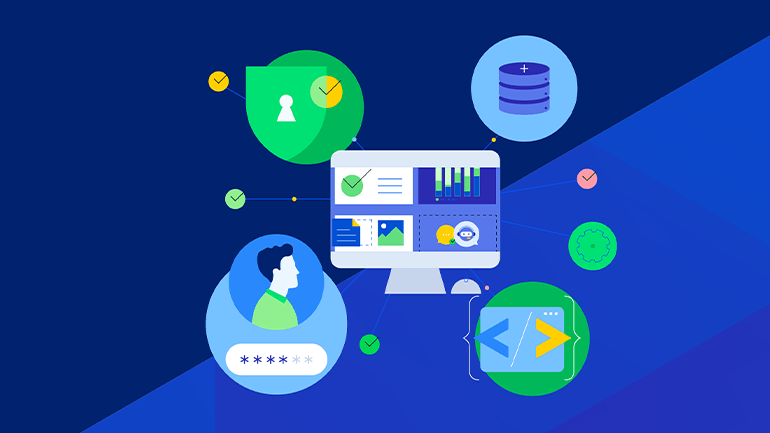
What's New in OpenEdge Command Center 2.0
Read about the latest release in our suite of tools designed to enhance the support and management of your OpenEdge environment.
Learn more
Using OpenTelemetry Metrics Support in OpenEdge on Azure
The OpenEdge 12.6 release introduced support for OpenTelemetry Metrics with OpenEdge Command Center 1.2.
Learn more
Learn About OpenEdge Command Center
The OpenEdge Command Center is a cloud-ready OpenEdge management console.
Learn moreOpenEdge Command Center Console Dashboard
Learn more how to empower your business with OpenEdge Command Center Console. Accessible on desktop and iPad/tablet.
Learn more
Get started with OpenEdge Command Center
In this video, you learn about the basics of the OpenEdge Command Center user interface and about some of the first time tasks that you need to complete.
Watch the videoOpenEdge Command Center REST API
Learn more about how OECC is built with API First approach, supports Open API standards with Swagger UI and Redoc documentation to enable faster integration use cases.
Learn more
Progress OpenEdge
Your application evolution journey starts here.